AlDente 1.39.3 更新内容:
更新日期:2026年9月16日
- 专业版:修复了在 macOS 26 和 macOS 15 设备上校准模式的一些问题。
AlDente 1.39.2 更新内容:
更新日期:2026年09月10日
- 修复了在部分运行特定 macOS 版本的英特尔 MacBook 上充电限制无法正常工作的问题。
- 英特尔 MacBook 现已可再次使用低于 80% 的充电限制,无需额外开关。
- 若干较小改进。
AlDente 1.39.1 更新内容:
更新日期:2026年9月9日
- 修复了一个导致部分运行 macOS 15 及以下系统的 MacBook 充电限制无法正常工作的错误。
AlDente 1.38.1 更新内容:
更新日期:2026年08月03日
- 针对 macOS 27 测试版用户:
- 我们发布了支持 macOS 27 测试版的首个 AlDente 测试版。
- 要接收此测试版,请在 AlDente 设置中启用“接收测试版更新”开关。
- Pro:
- 修复了 2016 款 15 英寸 MacBook Pro 上的系统负载数值。
- 修复了当仅将主电池图标设置为“不显示”时所有菜单栏项目消失的问题。
- 修复了 iOS 电池图标的 CoreGraphics 错误。
- 修复了帮助页面上的消息输入滚动问题。
- 修复了离开页面时消息保留的问题。
- 改进了撰写电子邮件提示。
AlDente 1.38 更新内容:
更新日期:2025年7月1日
- For macOS 27 Beta users: We will release a first beta of AlDente with support for macOS 27 soon. To receive this beta, make sure to enable the "Receive Beta Updates" toggle in the settings. This toggle is only visible for Pro users right now.
- Implemented a "What's New" window for release highlights.
- Implemented a Help & Support page with direct contact and resources.
- Improved the Onboarding layout and elements style.
- Added missing hover popups on some controls and status icons for better clarity.
- Added a confirmation dialog after pressing the Reset Settings button.
- Fixed the popover window not opening after rapid menubar clicks.
- Fixed the overcharge notification not clearing when the charge drops to the limit.
- Fixed Automatic Updates not matching the setting.
- Fixed Accessability issue with "Increase contrast" enabled.
- Removed the Optimized Battery Charging step in Onboarding for Tahoe.
- AlDente now requires macOS 12.0 as the minimum OS version has been increased by Apple.
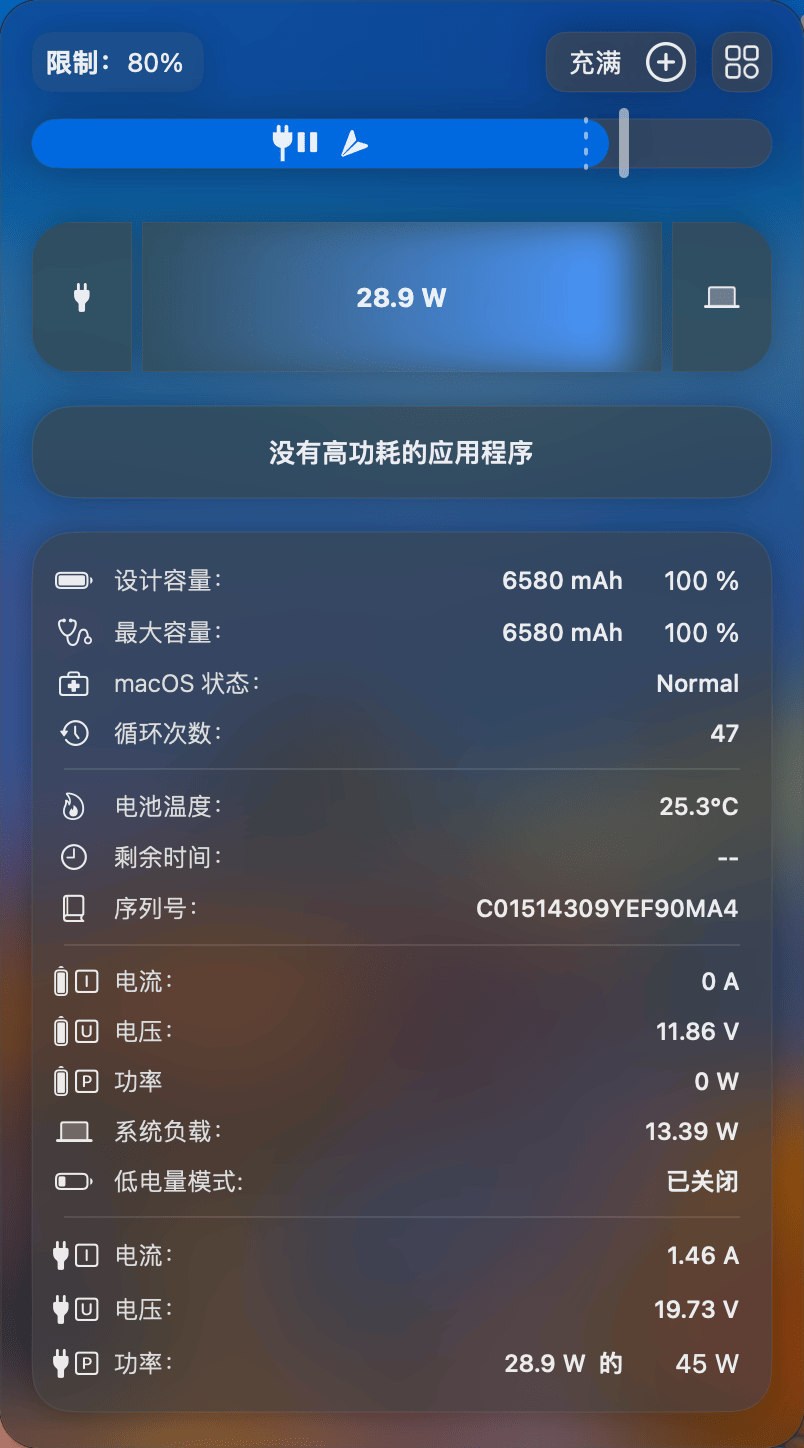
- Reimplemented the Power Flow diagram from scratch with a significantly reduced CPU footprint (macOS 26+).
- Added new SoC, USB, and Display power readings to the Power Flow diagram (macOS 26+).
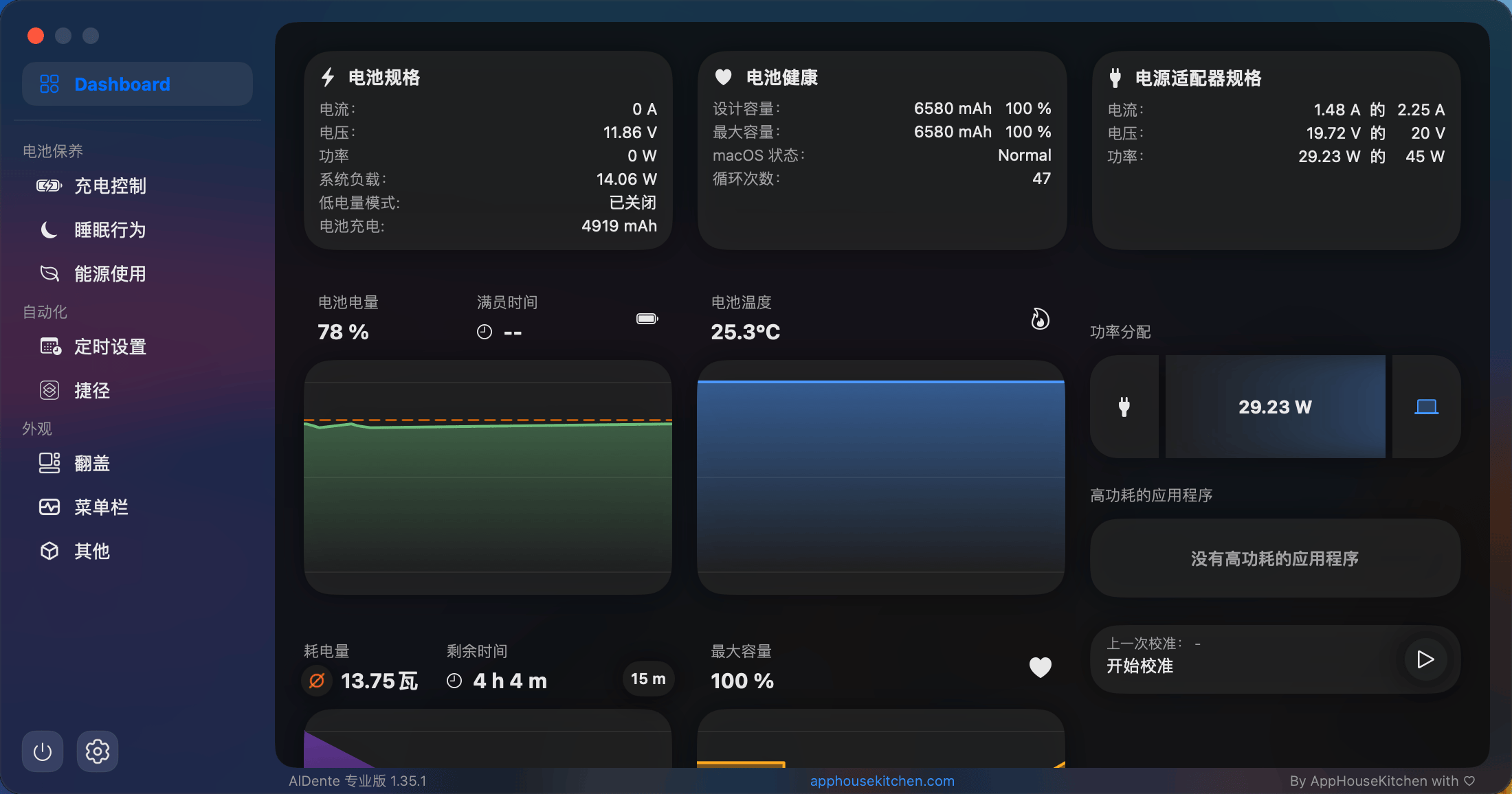
- Added a dedicated, expandable Power Flow panel to the dashboard.
- Added a new Onboarding step for the popover style with live preview.
- Added a new Onboarding step for menu bar style.
- Added Schedule Templates for easier setup.
- Implemented SetLowPowerMode and SetHighPowerMode Apple shortcuts.
- Enabled advanced sleep settings for Intel MacBooks.
- Improved Schedule Task card layout.
- Improved the style of Topup/Discharge buttons when activated.
- Improved the notification when graphs are loading to clarify the state.
- Fixed battery capacity readings on macOS 27.
- Fixed temperature units in the heat protection slider and status widget.
- Fixed jiggle animation stopping after widget reorder in edit mode.
- Fixed pro settings from survey not being applied if deactivated.
- Fixed compact widget appearing for the High Power Mode.
- Fixed random null values in graphs.
- Fixed Maximum Capacity graph not loading on start in the popover.
- Fixed the delayed charge limit values on the Battery Level graph.
- Integrated a setting to enable AlDente beta updates.
AlDente 1.37.3 更新内容:
更新日期:2026年4月13日
- 通用稳定性改进和修复。
- 更新/添加了一些翻译。
- 卸载 helper 之后,应用不再自动关闭。
AlDente 1.37 更新内容:
更新日期:2026年3月10日
- 添加了瑞典语。
- 添加了阿拉伯语。
- 改进了对 M5 MacBook Pro 的支持。
- 改进了 Helper 的安装和卸载过程。
- 修复了 macOS 26 上 Apple 通知出现在 popover 上方的问题。
- 许多其他修复和稳定性改进。
- 添加了 popover 的新 Status 小部件。
- 添加了 popover 的 graph 小部件。
- 添加了 popover 中的通知。
- 添加了外部显示器充电错误发生时的通知。
- 添加了应用启动时 MacBook 过度充电的通知。
- 添加了 Sleep Behavior 中的“合盖时锁定屏幕”设置。
- 改进了 Sleep Behavior 设置,提供更多清晰度。
- 改进了许可证激活过程。
- 改进了 Energy Mode 小部件,使其更直观。
- 改进了更改电子邮件地址的过程。
- 将一些 Sleep 设置移动到“显示高级设置”部分。
- 修复了激活时电子邮件插入换行符导致的无效电子邮件错误。
- 修复了菜单栏项目在值更改时“跳动”的问题。
- 修复了通过菜单栏右键更改充电状态时中断 Calibration Mode 的问题。
- 修复了频繁更改充电限制后冻结的 bug。
- 修复了 Calibration “Hold for” 未正确显示时间的问题。
- 修复了 Energy Mode Apple Shortcuts 未自动完成的问题。
- 修复了 Calibration Mode 完成后充电限制重置回正常的问题。
- 修复了 Calibration Mode 完成后 Calibration 时间重置回正常的问题。
- 修复了一些 Tahoe 设计问题。
- 修复了重新安装 helper 后重置充电限制的问题。
- 修复了卸载 helper 时菜单栏图标的问题。
- 修复了 Intel MacBooks 上 AlDente 某些区域缺少电源插头图标的问题。
AlDente 1.36.3 更新内容:
更新日期:2024年12月29日
- 修复了导致免费版 AlDente 中的某些设置切换无法工作的错误。
AlDente 1.36.2 更新内容:
更新日期:2025年12月10日
- 改进了翻译(适用于所有版本)
- 将菜单栏数值减少到一位小数以提高空间效率(Pro)
- 修复了设置和菜单栏中 Sailing Mode 图标的方向问题(Pro)
- 使用菜单栏右键单击更改充电状态时,校准模式不再自动中断(Pro)
- 修复了在某些场景下校准计时器未重置的错误(Pro)
- 改进了不可用设置的用户界面(Pro)
AlDente 1.36.1 更新内容:
更新日期:2025年11月23日
- 修复了一个导致 macOS 13 及更早版本上菜单栏图标无法正确显示的 bug。
- 修复了一个导致 macOS 11 上仪表板仅在长时间延迟后才出现的 bug。
- 改进了许可证验证体验。
- 引入了调度历史记录限制,以提高性能并防止崩溃。
AlDente 1.36 更新内容:
更新日期:2025年11月18日
- 重新设计整个应用外观以适应macOS 26 Tahoe的最新风格指南。
- 重新设计应用图标,能根据macOS偏好调整外观。
- 添加“减少透明度”设置,适合偏好旧式玻璃材质的用户。
- AlDente现在能记住仪表盘重启后的位置。
- 诸多修复和稳定性改进。
- 添加新菜单栏自定义设置,可完全自定义并添加/移除统计数据。
- 为支持高功率模式的MacBook添加高功率模式设置。
- 为弹出窗口添加功率模式小部件,支持不同显示选项。
- 添加新Apple Shortcuts以启用/禁用低/高功率模式。
- 启动后图表收集数据时添加消息提示。
- 添加修改外观模式为系统/浅色/深色的设置。
- 为计划任务添加“每年”间隔选项。
- 添加清除计划任务历史记录的按钮。
- 添加时间单位翻译。
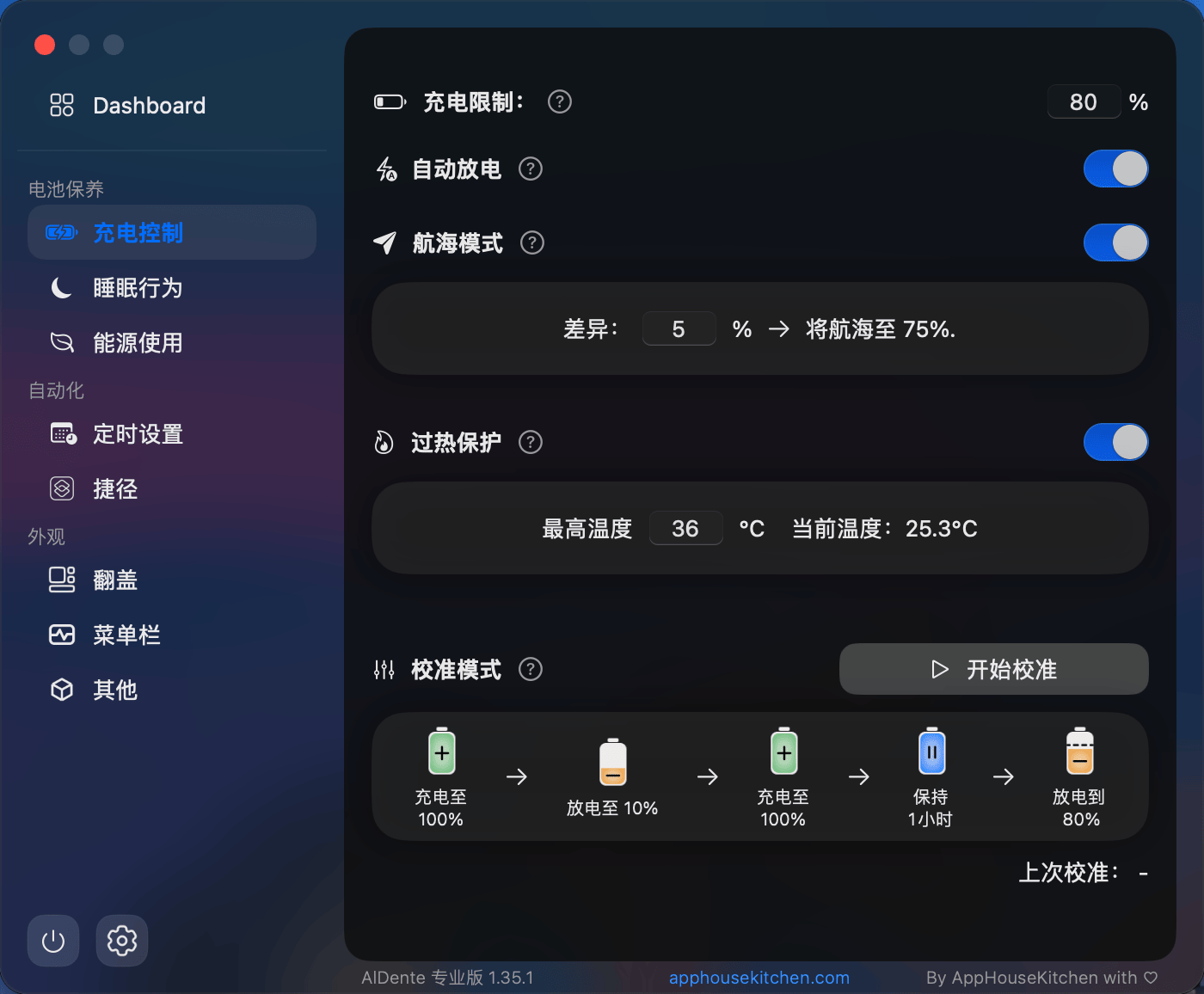
- 再次为校准模式添加计时器。
- 将“菜单栏右键”设置移至外观 > 菜单栏。
- 增加热保护的最大温度阈值。
- 重新设计计划任务历史视图,提高可读性。
- 修复计划任务无法自动中断校准模式的问题。
- 修复弹出窗口和仪表盘中不同最大容量值的问题。
- 修复电池电量低于20%时的低功率模式着色问题。
- 修复“iOS Native”菜单栏图标样式模糊问题。
- 修复退出按钮内旋转轮的bug。









全部评论0